

A practical deep-dive into the standards that keep Claude consistent across the org. We unpacked CLAUDE.md and the .claude/ folder — settings, rules, skills, agents, and hooks — and the mental model of persistent context versus the task at hand.
We introduced the claude-standards repo that every project pulls from, walked through what belongs in a file versus a prompt, and covered the MCP setup gotchas that quietly break teams. (Heads up: this one wasn't recorded — sorry!)
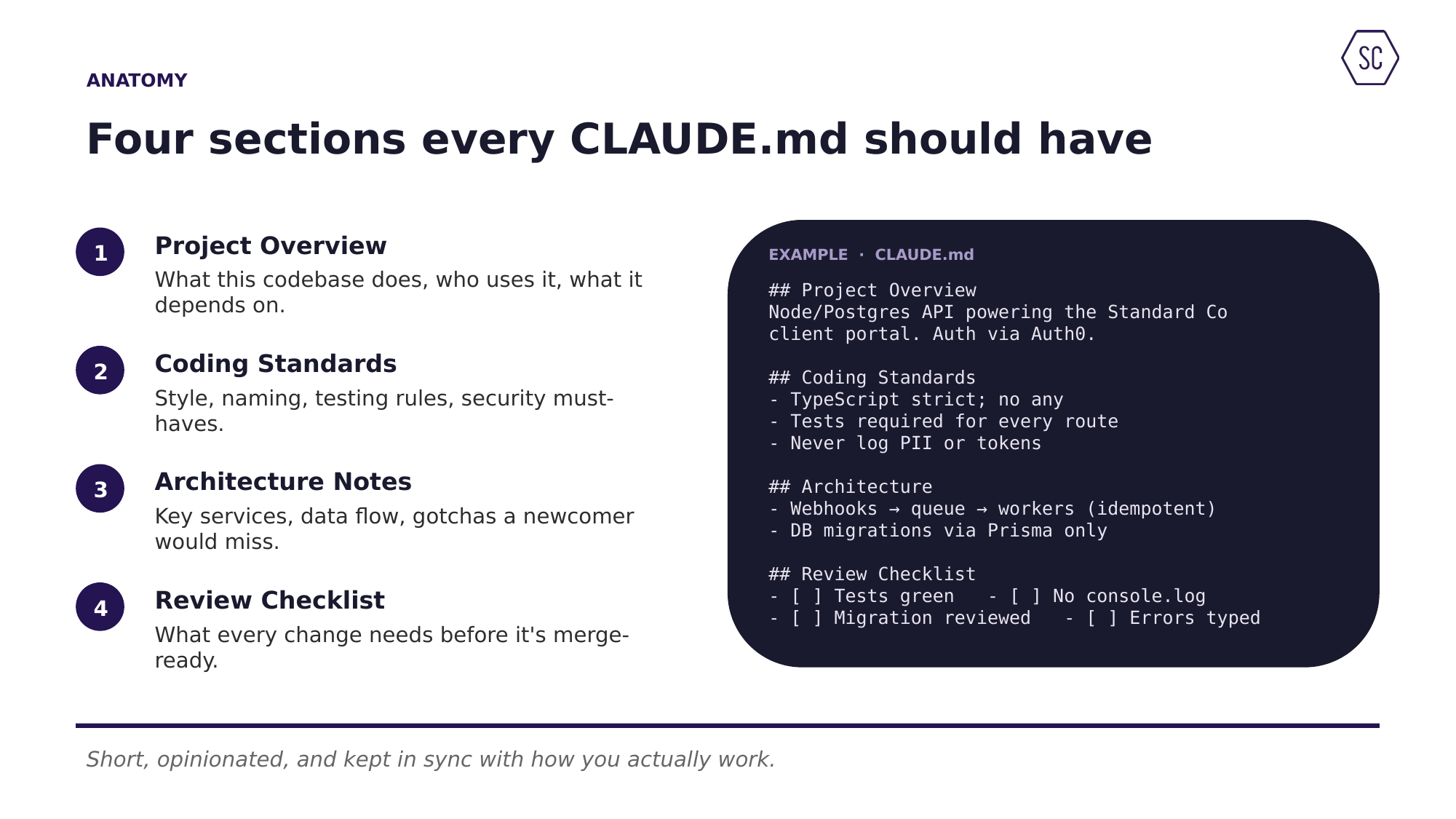
CLAUDE.md is a plain markdown file at your project root that Claude loads automatically at the start of every session. It carries your project overview, coding standards, architecture notes, and review checklist, so Claude starts every session with the right context instead of cold.
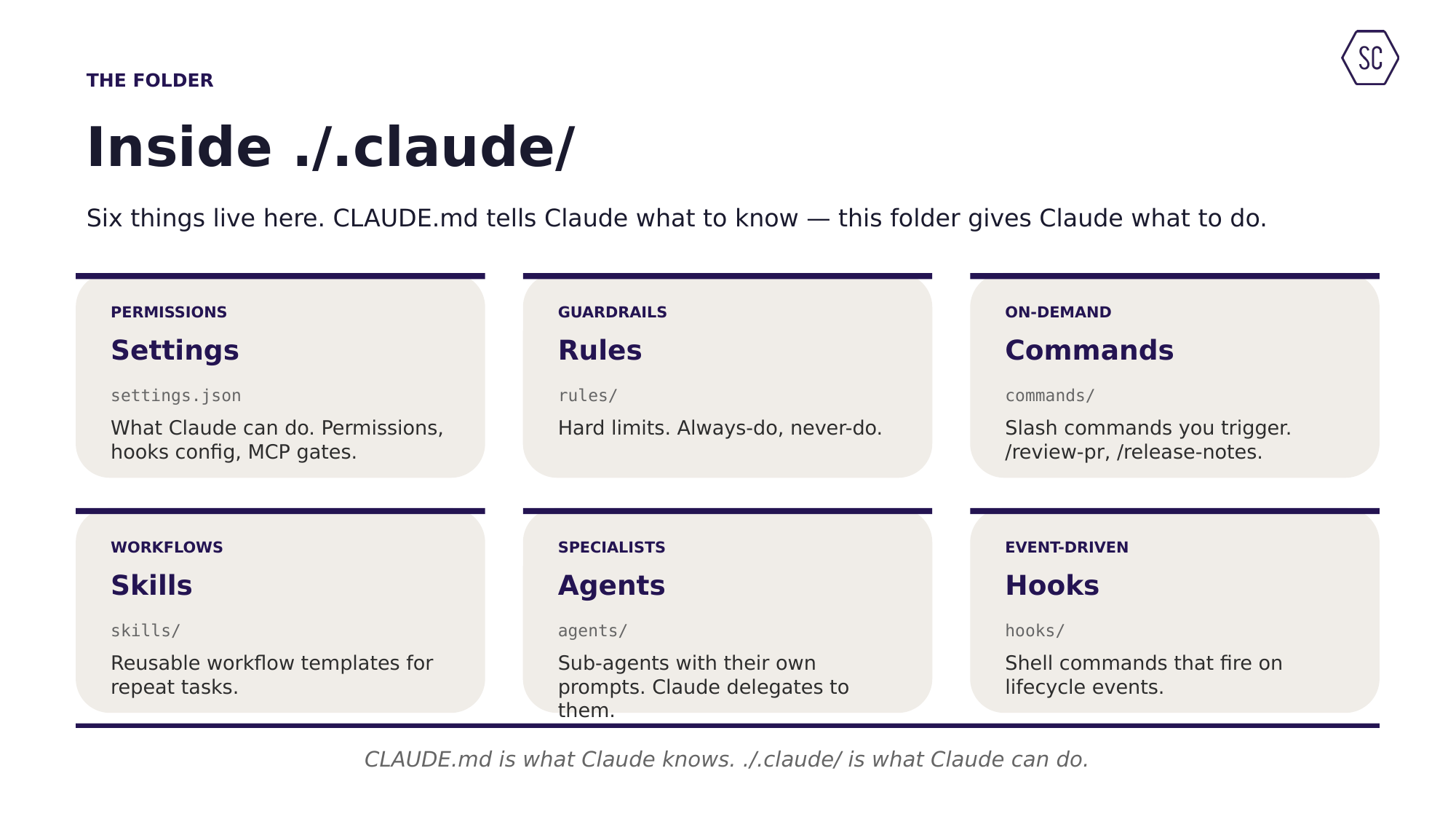
The .claude/ folder holds what Claude can do: settings.json (permissions and which MCPs load), rules (hard always/never guardrails), skills (reusable workflow templates), agents (specialist sub-agents), and hooks (shell commands that fire on lifecycle events).
Persistent context — conventions, architecture, and review standards — belongs in files like CLAUDE.md and .claude/, which load automatically every session. The prompt is for today's specific task. The rule of thumb: if you would type it twice, it belongs in a file.
It is a central Git repo holding the organization's base CLAUDE.md, .claude/ defaults, and shared MCP config. Every project pulls from it, so onboarding is faster, quality is higher, and security guardrails apply everywhere by default.
Effectively yes — Anthropic merged custom commands into skills. A skill is a folder with a SKILL.md file (YAML frontmatter plus instructions). You can invoke it by name, let Claude auto-invoke it when the description matches, or lock it to manual-only.
We run these every month. Email me and I'll add you to the invite.
Email TJ151 Ted Turner Drive, Atlanta, GA
Let's talk: info@standardco.de